- Home Page /
- Office Products /
- Office Electronics /
- Printers & Accessories /
- Computer Printers /
- Inkjet Computer Printers /
- Ink Tank Printers /
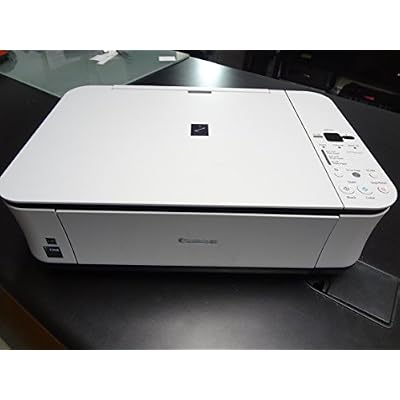
- Canon PIXMA MP250 Inkjet Photo All-in-one Pri...
0 ratings




Item #:
2975790
Canon PIXMA MP250 Inkjet Photo All-in-one Printer
Item #:
2975790
GBP 319
Price Details
Price
GBP 319
Excluding Shipping, VAT & Custom charges ( Shipping, VAT and custom charges will be calculated on checkout.
If Item price + shipping is below GBP 135, 20% VAT will be calculated on checkout, if it is equal or above GBP 135, no VAT will be charged. )
0 ratings
Write a review
Out of stock
 Imported from USA store
Secured transaction
Ubuy works hard to protect your security and privacy. Our advanced payment security system ensures confidentiality by encrypting your information during transmission using AES (Advanced Encryption Standards) and SSL (Secure Socket Layer) protocols. Your payment details are 100% secure as we do not share your payment details with third party sellers.
Our Top Logistics Partners


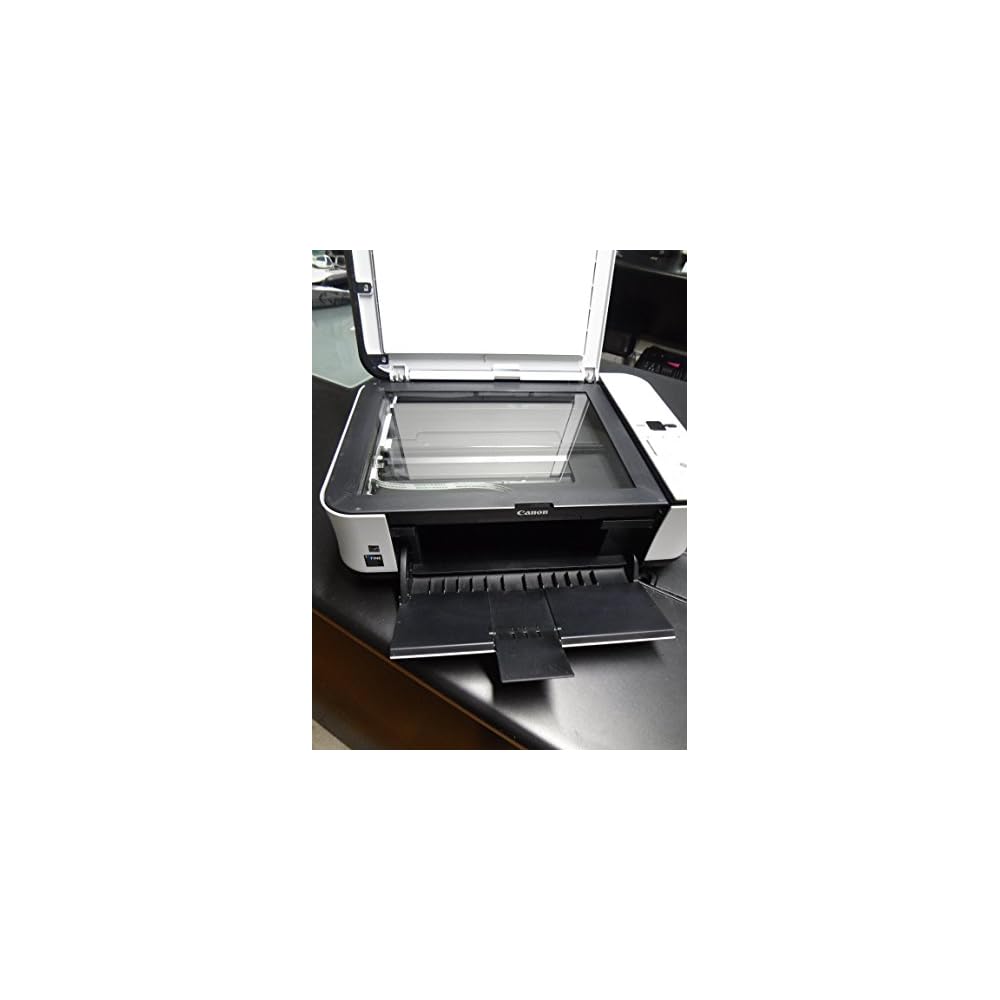
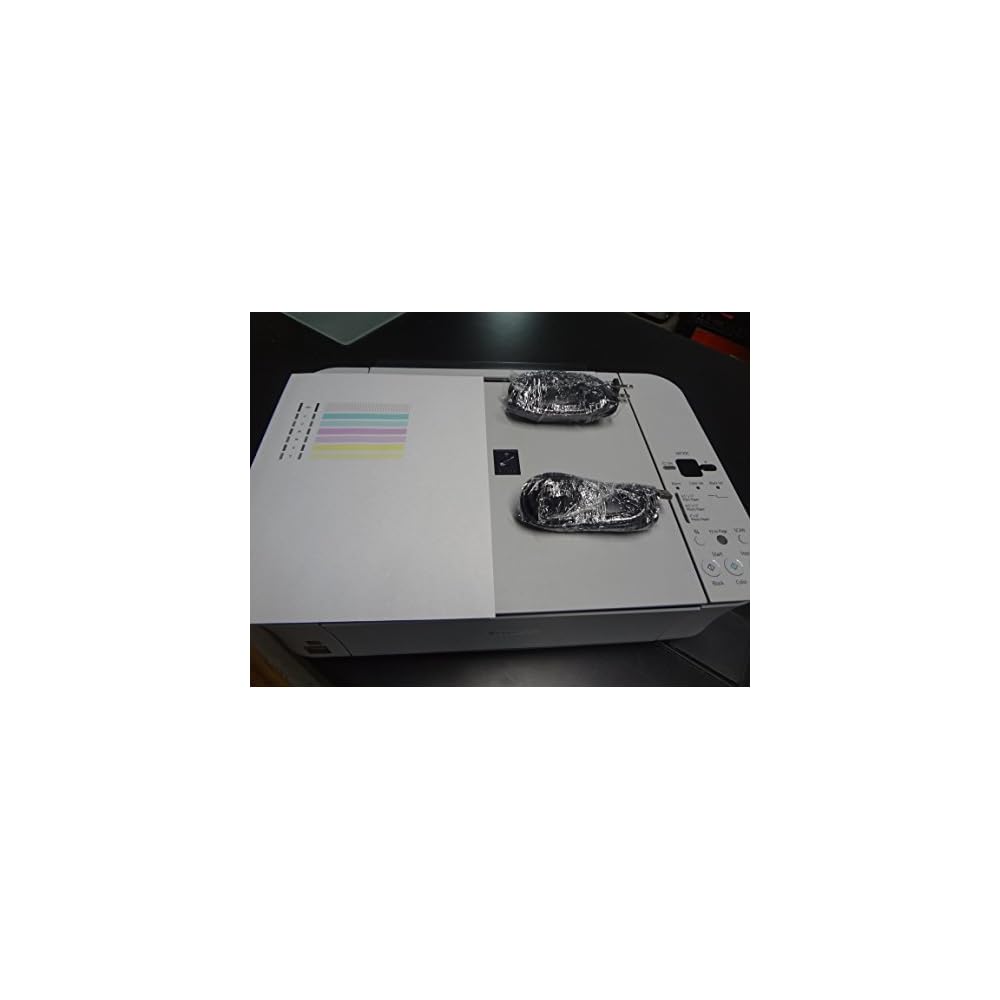
Pixma MP250 Photo AIO Printer produces high-quality prints at a fast speed with its photo printing and border-less printing feature.

Buy Now Pay Later

Fast
Shipping

Free
Return*

Secure Packaging

100% Original Products

PCI DSS Compliance

ISO 27001 Certified


Note: Step Down Voltage Transformer required for using electronics products of US store (110-120). Recommended power converters Buy Now.


What Stands Out
Versatile Printing
Canon PIXMA MP250 offers versatile printing options including photos, documents, and borderless prints, catering to diverse user needs while maintaining high-quality output.
Compact Design
Its compact design makes the Canon PIXMA MP250 ideal for small spaces, ensuring that users can have an all-in-one printer without sacrificing valuable desk space.
Easy Operation
User-friendly interface and straightforward controls of the PIXMA MP250 allow for quick setup and efficient usage, perfect for both beginners and experienced users seeking convenience.
Product Details
- Print speed: 4 x 6 Borderless Photo - Approx. 20 seconds, Black text - ESAT Approx. 12.5 ipm, Color - ESAT Approx. 9.3 ipm
- Printer features: Auto Duplex Print, Auto Photo Fix II, Borderless Printing, Calendar Print, Document Printing, Full HD Movie Print
- Output tray capacity: Auto Sheet Feeder - 150 Sheets, Cassette - 150 Sheets
- Copier mode: Black and Color with reduction and enlarge modes
- Flatbed Scanner: Optical - 4800 x 9600 dpi (Film); Interpolated - 19,200 x 19,200 dpi
- Product details: Pixma MP250 Photo AIO PR 4800DPI 600 X 1200 Printer
| Printer Type | Inkjet |
| Other Special Features of the Product | Auto-Duplex |
| Printer Output Type | Black and White | Color |
| Item Weight | 12.79 Pounds (5.8 kg) |
| Print media | Envelopes, Glossy photo paper, Paper (plain) |
| Scanner Type | Flatbed |
| Maximum Copy Speed Black and White | 7 ppm |
| Compatible Devices | PC, Laptops, Tablets, Smartphones |
| Maximum Copies Per Run | 500-1000 |
| Ink Color | black, cyan, magenta, yellow, gray |
| Additional Printer Functions | All In One |
| Control Method | App |
| Number of Trays | 2 |
| Resolution | 600 x 1200 DPI |
| Maximum Media Size | 4x6 inches (116.8 cm) |
| Maximum Sheet Capacity | 150 |
| Paper Size | 4 inches (10.2 cm) |
| Output sheet capacity | 150 |
| Printer Connectivity Type | USB |
| Hardware Interface | USB |
| Total Usb Ports | 1 |
| Dual-sided printing | Yes |
| Duplex | auto |
| Brand | Canon |
| Model Name | PIXMA |
| Model Number | 3743B002 |
| Model Series | 3743 |
| Specific Uses For Product | personal |
| UPC | 013803109894 013803109917 013803118766 |
| Global Trade Identification Number | 00013803109917 |
| Manufacturer | Canon |
| Unit Count | 1.0 Count |
| Color Pages per Minute | 4.8 ppm |
| B&W Pages per Minute | 7 ppm |
| Color | Black and White |
| Maximum print Resolution Color | 600 x 1200 DPI |
| Maximum Print Resolution Black and White | 600 dots_per_inch (1524 cm) |
| Power Consumption | 11 Watts |
| Wattage | 11 watts |
| Maximum Copy Resolution Color | 600 x 1200 DPI |
| Maximum Copy Resolution Black and White | 600 x 1200 DPI |
| Connectivity Technology | USB |
| Printing Technology | Inkjet |
| Special Feature | Auto-Duplex |
| Printer Output | Black and White | Color |
| Maximum Print Speed (Color) | 4.8 ppm |
| Max Printspeed Monochrome | 7 ppm |
Who Should Buy?

-
Photographers
Ideal for photographers needing high-quality prints, the MP250 produces vibrant images with accurate colors and detail.
-
Home Users
Great for home use due to its multifunctionality; it prints, scans, and copies documents efficiently for daily tasks.
-
Budget-Conscious Shoppers
Affordable inkjet printer option makes it suitable for users looking for cost-effective printing solutions without sacrificing quality.

-
High-Volume Users
Not suitable for users needing high-volume printing as it has a slower print speed and limited monthly duty cycle.
-
Business Environments
Less ideal for professional settings requiring fast, robust performance and advanced features seen in higher-end printers.
-
Wireless Printing Needs
Lacks built-in wireless connectivity, making it inconvenient for users who prefer mobile or remote printing options.
Product Description
Have any Query? Chat with us
Customer Questions & Answers
-
Question:
What type of printing technology does the Canon PIXMA MP250 use?
Answer: The Canon PIXMA MP250 utilizes inkjet printing technology, which is ideal for producing high-quality color photos and documents. Inkjet printers like the MP250 work by spraying tiny droplets of ink onto paper, allowing for precise color blending and detail. This makes it especially suitable for photography enthusiasts and home users who want vibrant prints as well as sharp text, ensuring that every print captures the essence of the original image. -
Question:
Is the Canon PIXMA MP250 compatible with Mac and Windows operating systems?
Answer: Yes, the Canon PIXMA MP250 is compatible with both Mac and Windows operating systems. It supports various versions, which facilitates seamless integration into diverse computing environments. Users can benefit from straightforward installation by downloading the necessary drivers from Canon’s official website, ensuring they can enjoy a smooth printing experience regardless of the platform they use. -
Question:
What are the connectivity options available for the Canon PIXMA MP250?
Answer: The Canon PIXMA MP250 offers USB connectivity, which allows you to connect the printer directly to your computer. This direct connection typically ensures faster data transfer and reliable printing. However, keep in mind that this model does not include wireless capabilities. This makes it a solid choice for users seeking a straightforward, wired printing solution without the complexities of network configurations. -
Question:
Can the Canon PIXMA MP250 print photos directly from a camera?
Answer: Yes, the Canon PIXMA MP250 can print photos directly from compatible cameras and devices using PictBridge technology. Simply connect your camera to the printer via USB and select the photos you'd like to print. This feature is particularly useful for photographers who want to quickly produce hard copies of their favorite shots right after a shoot, enhancing the printing experience at events or family gatherings. -
Question:
What types of media can be used with the Canon PIXMA MP250?
Answer: The Canon PIXMA MP250 is versatile in terms of media compatibility. It supports various paper sizes, including letter, legal, photo, and envelopes, as well as specialty media such as glossy photo paper and matte paper. This flexibility allows users to print not only standard documents but also high-quality photos, making it ideal for both home and small office environments. Whether you are sending out invitations or creating a personalized photo album, this printer can handle it all. -
Question:
Does the Canon PIXMA MP250 have an automatic document feeder?
Answer: No, the Canon PIXMA MP250 does not feature an automatic document feeder (ADF). However, it is equipped with a flatbed scanner that allows you to manually scan or copy documents. The absence of an ADF means you may need to place each page one at a time, which is suitable for occasional scanning or copying tasks, but for high-volume projects, a printer with ADF may be more efficient. -
Question:
What types of ink cartridges does the Canon PIXMA MP250 use?
Answer: The Canon PIXMA MP250 uses two ink cartridges - one black and one tri-color cartridge. The black cartridge ensures deep, rich text prints, while the tri-color cartridge combines cyan, magenta, and yellow for vibrant photo prints. This cartridge system allows for economical use, as you only need to replace the cartridge that runs out. This is great for home users and small offices looking for quality printing without expensive upkeep. -
Question:
What resolutions can the Canon PIXMA MP250 print at?
Answer: The Canon PIXMA MP250 can print at a maximum resolution of up to 4800 x 1200 dpi (dots per inch) when using Canon’s genuine photo paper and print settings. This high resolution ensures that photos appear detailed and crisp, showcasing an impressive range of colors and subtleties. Such quality makes it suitable for printing professional-looking photographs for portfolios, greeting cards, and more. -
Question:
What is the scanning capability of the Canon PIXMA MP250?
Answer: The Canon PIXMA MP250 offers a flatbed scanner with an optical resolution of up to 600 x 1200 dpi. This capability allows users to create clear and detailed scans of documents and photos. It also supports various scan modes, such as color, grayscale, and black-and-white, providing flexibility for different scanning needs. This makes it a suitable choice for users who need to digitize archival photos or create copies of important documents. -
Question:
Where can I buy the Canon PIXMA MP250 Inkjet Photo All-in-one Printer?
Answer: You can buy the Canon PIXMA MP250 Inkjet Photo All-in-one Printer from Ubuy in UK. Ubuy offers a convenient shopping experience with various shipping options, making it easy to get your hands on this multifunctional printer. Their platform is user-friendly, and you can also review additional customer feedback to make an informed purchase.
Canon Ink Tank Printers 3743B002 Editorial Review
The Canon PIXMA MP250 Inkjet Photo All-in-one Printer is an easy to use printer that delivers as advertised. It is recommended to buy ink cartridges for the printer before installing, as the cartridges provided with the product may be dried out. The printer is compatible with Windows 10 and can automatically resize copies to fit the page. It is a reliable printer for basic printing needs.
Customer Reviews & Ratings
46 customers ratings
-
5 Star
61%
-
4 Star
8%
-
3 Star
13%
-
2 Star
6%
-
1 Star
12%
Review this product
Share your thoughts with other customers
Pros
- Easy to use
- Delivers as advertised
- Compatible with Windows 10
- Automatic resizing of copies
Cons
- Ink cartridges provided may be dried out
Product Price History
Important information
- Limitations : For products shipped internationally, please note that any manufacturer warranty may not be valid; manufacturer service options may not be available; product manuals, instructions, and safety warnings may not be in destination country languages; the products (and accompanying materials) may not be designed in accordance with destination country standards, specifications, and labeling requirements; and the products may not conform to destination country voltage and other electrical standards (requiring use of an adapter or converter if appropriate). The recipient is responsible for assuring that the product can be lawfully imported to the destination country. When ordering from Ubuy or its affiliates, the recipient is the importer of record and must comply with all laws and regulations of the destination country.
- Not all the products listed on Ubuy are for sale, as Ubuy is a global search engine. Products are subject to export/trade regulations.
GBP 319
Currently unavailable.
We don't know when or if this item will be back in stock.
This item is not restrict in my country.(Please click on above link if this item is not restrict in your country, So our team will review and allow.)
Secured transaction
Ubuy works hard to protect your security and privacy. Our advanced payment security system ensures confidentiality by encrypting your information during transmission using AES (Advanced Encryption Standards) and SSL (Secure Socket Layer) protocols. Your payment details are 100% secure as we do not share your payment details with third party sellers.
Our Top Logistics Partners
Fastest cross-border delivery
Features & Benefits
- Photo Printing with high resolution
- Fast printing of photos and documents
- Auto Duplex Printing feature
- Auto Photo fixing feature
- Capacity of 150 sheets for both Auto sheet feeder and Cassette
- High Optical Scanner Resolution